
Super Story Downloader
Instant Reels Story Downloader TeamVideo Players & Editors
3.566.00 Reviews
- Version
- 1.87
- Installs
- 100.00K
- Age Rating
- Mature 17+
Screenshots
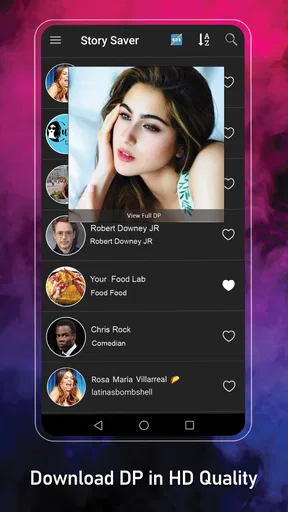
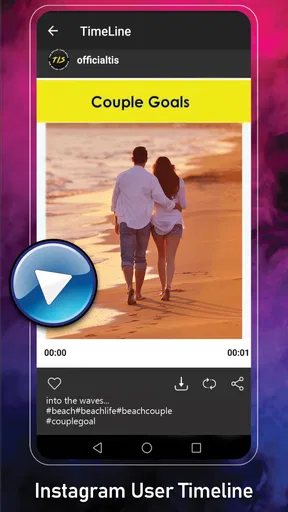
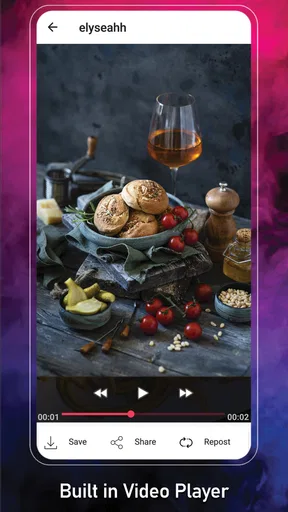
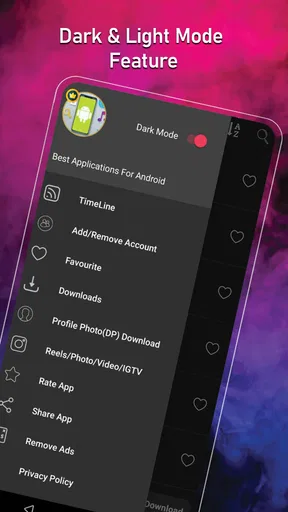
Our Review of Super Story Downloader
 Analysis by Appyee
When I need to keep a useful social clip, photo, story, reel, or profile image for later reference, I prefer a focused utility over a full editing suite. Super Story Downloader is built around that simple starting point. It sits in the video players and editors category, but I see it less as a creative editor and more as a quick collection tool for visual material I may want to review, organize, or use as inspiration.
I spent time looking at where it fits in a normal creator workflow. It is not the place where I would plan a campaign, cut a polished video, add a soundtrack, or prepare a finished brand asset. Its value is earlier in the process: finding a piece of content, saving it, and keeping it available for a later decision. That distinction matters because the app can be convenient for gathering references, while someone expecting a complete production workspace may find it limited.
My main impression is that Super Story Downloader works best as a lightweight capture step between browsing and editing. It is free to install, supports devices running Android 7.0 or later, and comes from Instant Reels Story Downloader Team. The app has passed the early-experiment stage in terms of availability, with over one hundred thousand installs, although its average score of 3.5 suggests that the experience is useful for some people but not consistently smooth for everyone.
Starting a creative project with saved references
In this section, I look at how a small collection of saved examples can give a project a clearer starting point. I find it useful to capture references with a question in mind—such as what makes an opening easy to follow—rather than saving attractive posts without a purpose. That choice shapes how the material can move into a practical making process.
Where the app helps at the beginning
A creator’s first problem is often not editing. It is collecting the right material before the idea disappears. I can imagine using this app while researching a short-form video: I see a transition worth studying, a visual composition that fits a mood board, or a story image that gives me an idea for a sequence. Instead of relying on memory or leaving a crowded trail of screenshots, a downloader can create a more deliberate handoff to the next stage.
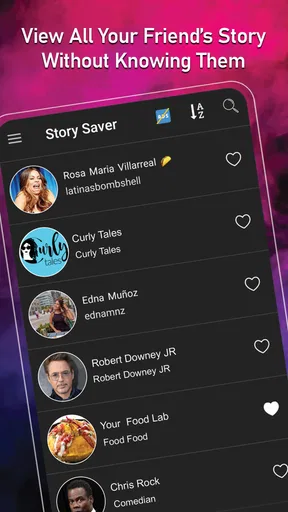
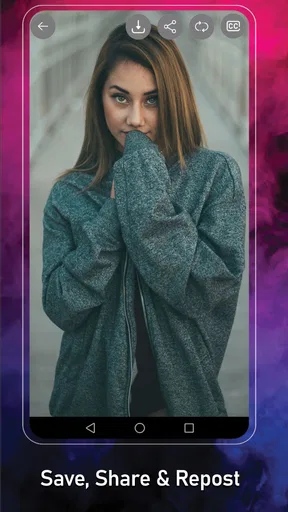
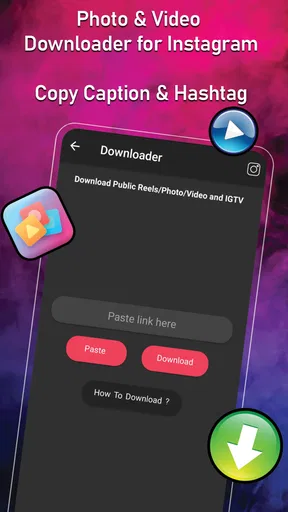
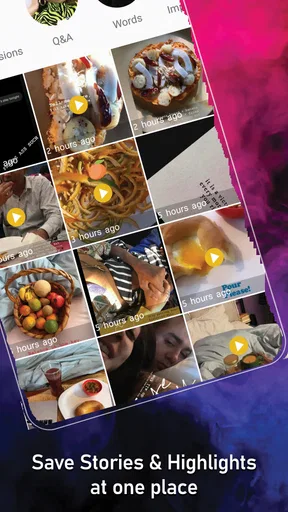
The supported focus is broad enough to cover several common starting points. The store summary presents it as a way to save stories, reels, videos, photos, and display pictures. That makes it relevant to different kinds of small creative projects, from collecting references for a personal montage to saving visual examples before planning a social post.
One practical habit I would recommend is deciding why you are saving something before tapping the download option. A folder of random clips becomes difficult to use very quickly. If I were preparing a travel reel, I would save only examples related to pacing, framing, captions, or color rather than collecting every attractive post. The app can help with capture, but the creative organization still depends on the user.
Useful for research, not a replacement for permission
There is an important difference between downloading something for private reference and republishing it. I would use Super Story Downloader to gather material that helps me understand an idea, compare visual approaches, or remember a post I want to revisit. I would not treat a saved file as automatically cleared for commercial use or public redistribution.
That is especially important when the content includes another person’s face, original artwork, music, or branded material. The app makes the saving step easier, but it does not turn someone else’s work into my own. For a creator preparing client work, I would keep a separate record of the source and ask for permission whenever the material is going beyond personal inspiration.
The mature age classification is also worth noticing before installing it on a shared device. It is marked for users aged 17 and above, so I would not present it as a general-purpose downloader for children or younger family members. That rating should be part of the decision, particularly if the phone is used by several people.
A realistic everyday workflow
Imagine I am planning a short video for a local café. During a lunch break, I find several public reels showing close-up food shots, quick camera movements, and different ways of opening a video. I save a few references, then later review them in my gallery while writing a shot list. I do not copy the clips into the final post. Instead, I use them to decide whether my own opening should begin with a wide view, a hand-held detail, or a quick change of angle.
That is where the app feels most sensible to me. It reduces the distance between discovering an idea and having a local reference available. The benefit is not that it creates the café video automatically. The benefit is that I can move from browsing to planning without depending on a temporary feed or trying to find the same post again.
What to check before relying on a download
I would not build an urgent production deadline around a single tap. Social platforms change their layouts, content visibility, and access behavior, so a downloader may be more dependable for some items than others. If a reference is important, I would verify that it actually appears in the device’s media library before leaving the original page.
This small check prevents a common workflow problem: assuming a file was saved when it was only previewed. I would also rename or sort important files soon after saving them. A generic filename may be enough for a quick look, but it becomes frustrating when several similar clips are mixed together during editing.
From captured material to a usable making process
Here I focus on the handoff from a downloaded item to the work I actually want to create. I would keep reference clips distinct from original footage, so an editor’s timeline stays focused on material intended for the finished piece. With that separation in place, I can review the collection and decide which examples are genuinely worth carrying forward.
Keep the downloader in its proper role
Once the material is saved, the actual making process usually happens elsewhere. Super Story Downloader is not the tool I would choose for trimming a sequence, balancing audio, building a timeline, or adding polished text. Its role is closer to intake: bring a visual item into the device so another app can inspect or transform it.
That separation can be helpful. A dedicated editor often becomes cluttered when it is also used as a storage area for every reference. By keeping the capture step separate, I can decide later which items deserve editing attention. This is particularly useful when I am collecting ideas before I know whether they belong to a real project.
On the other hand, users who want an all-in-one experience should set expectations carefully. If your goal is to download a reel and immediately cut it, add effects, and publish a finished version inside the same app, this is unlikely to be the most comfortable workflow. I would pair it with the editor already installed on the phone rather than expecting it to replace that editor.
Turning saved files into a personal reference library
The strongest workflow improvement is to treat saved content as a small library rather than a pile of downloads. I would create project-based albums in the phone’s gallery, such as “opening shots,” “caption ideas,” or “product close-ups.” This makes the app more useful over time because the real creative value appears during comparison, not at the instant of downloading.
Another useful approach is to save only one or two examples for each technique. If I am studying transitions, I do not need twenty nearly identical clips. A smaller set is easier to review and less likely to distract me from making my own version. This is a non-obvious trade-off with downloader apps: convenience encourages accumulation, but accumulation can slow the creative process.
I would also separate personal media from work references. A saved family photo, a client example, and a public reel should not all live in one unstructured stream. Even without a built-in project system, a simple gallery routine makes handoff to an editor much cleaner.
Handling photos, videos, stories, and display pictures differently
Different media types serve different purposes. A photo may be useful for composition or color reference, while a video can reveal timing, movement, and sound relationships. A story may be valuable because of its temporary presentation, and a display picture may help me study how a profile presents a person or brand at a glance.
I would therefore avoid treating every download as an equal creative asset. For a video, I would note the moment that caught my attention. For a photo, I would record what I want to learn from it: lighting, framing, or subject placement. For a display picture, I would consider it a profile-design reference rather than raw material for a new post.
This habit also reduces accidental misuse. When I can explain why I saved something, I am more likely to use it as a lesson or reference instead of casually inserting it into a finished project.
Compatibility and installation expectations
The current version is 1.87, and the minimum operating system is Android 7.0. That makes the compatibility requirement fairly approachable for many Android phones, but I would still check the device before planning a workflow around it. A supported operating system does not guarantee that every social source will behave identically on every phone.
The app is free to install, with optional in-app purchases listed from $1.99 to $19.99 per item. I would begin with the free experience and decide whether the workflow genuinely saves me time before spending anything. For occasional reference gathering, the free entry point may be enough. For heavier use, I would pay attention to exactly what a purchase changes rather than assuming every inconvenience disappears.
That pricing structure is also a reason to avoid installing it casually on a work device without checking who controls purchases. The app is easy to test, but a creator managing several devices should keep personal and project-related spending separate.
Iteration: reviewing, narrowing, and improving the material
This section considers how I turn a broad set of references into a smaller, more useful selection. Comparing examples against one specific project question helps me spot a technique I can adapt, rather than letting the most polished clip dominate by default. Once the useful material is clear, the next step is making sure it reaches the right tool in an orderly way.
The first download is rarely the final answer
Good creative work usually improves through comparison. I would use the app to collect a small group of possibilities, then return to them with a specific question: Which opening is clearest? Which framing leaves room for text? Which movement can I recreate with my own equipment? Saving several references makes those comparisons easier than judging each post separately while scrolling.
This is where I see more value than the short store description suggests. The downloader is not only about possession of a file. It can support a repeatable review loop: discover, save, compare, recreate, and remove what no longer helps. The app handles the first part, while the discipline of the loop belongs to me.
A useful rule is to keep a “maybe” group separate from a “use now” group. I might save an interesting reel for future inspiration, but only move it into the active project folder if it directly supports the current brief. This prevents old references from influencing a project simply because they happen to be nearby.
Use saved content to identify techniques, not imitate blindly
When I review a saved video, I try to break it into decisions. How long does the opening hold? Does the subject enter from the edge or begin in the center? Is the visual change caused by movement, a cut, or a new angle? Asking those questions turns a downloaded example into a practical exercise.
For instance, instead of copying a creator’s exact sequence, I might recreate its rhythm with my own footage. This produces a more original result and teaches me something useful about pacing. The app makes the reference available, but the learning comes from analyzing it rather than reproducing it.
I would also be careful with audio. A saved video may contain music or speech that cannot be reused in the same way elsewhere. If I am preparing something for publication, I would replace borrowed audio with material I am allowed to use and treat the downloaded clip as a visual study only.
Where friction can appear
The average score of 3.5, based on around one thousand two hundred ratings, tells me not to assume a flawless experience. A downloader depends on more than its own interface: the source platform, the type of post, the device’s media handling, and the visibility of the original content can all affect the result. That makes consistency a genuine concern for anyone who needs predictable batch processing.
I would also expect some manual housekeeping. Even when a file saves successfully, creators may need to locate it in the gallery, move it into a project album, and check whether the quality is suitable for the intended use. If your workflow involves many files every day, these extra steps can become more important than the initial convenience.
Another limitation is creative scope. The app can help me gather ingredients, but it does not appear to be a substitute for a proper editor, cloud asset manager, or production tracker. Someone working with clients, multiple revisions, and strict delivery requirements will probably be better served by a dedicated media-management system alongside an editor.
Export and handoff into the next tool
I cover the final transition from a saved reference to the editor or other tool I use for the project. Before importing, I would confirm that the file is identifiable and belongs in the active project, keeping inspiration separate from footage I plan to publish. That simple handoff makes it easier to continue working without confusing a study example with finished material.
Moving from saved media to editing
For a small project, the handoff is straightforward in principle: save the reference, find it in the phone’s media library, and open it in the editor or gallery tool I normally use. I would check the file before importing it into a timeline, especially if the project depends on clear detail or a specific orientation.
My preferred handoff routine would be to save, verify, rename if necessary, place the item in a project album, and then import only the selected files into the editor. This avoids filling the editing timeline with every experiment. It also makes it easier to return to the original reference without confusing it with my own footage.
For a client project, I would go one step further and keep a note beside the asset explaining its role: “lighting reference,” “opening rhythm,” or “profile composition.” That small label helps distinguish inspiration from deliverable material and keeps the final production more intentional.
When another option is better
If I only need to save one image for a private reminder, a normal screenshot or the platform’s own save function may be quicker. If I need to edit a clip immediately, a full video editor is the better first choice. If I need organized team access, version history, or reliable rights management, I would choose a dedicated asset library instead.
Super Story Downloader makes the most sense in the middle ground: I want a local copy of visual material, I expect to gather more than one item, and I am comfortable completing the creative work in another app. It is less suitable when the task is simple enough for a built-in phone function or complex enough to require a professional production pipeline.
Because the app is marked Mature 17+, I would also avoid presenting it as part of a youth-oriented classroom workflow without adult oversight. For an adult creator researching references, that label is simply a practical consideration before installation and use.
My creator verdict after using it as a workflow tool
Super Story Downloader is a focused utility rather than a complete creative studio. I would recommend it to an adult Android user who regularly gathers stories, reels, videos, photos, or display pictures as references and wants a quicker path from discovery to a local media library. Its best contribution is reducing the friction of collecting material before the real editing begins.
I would not recommend it as the only app for producing finished content. The making, revision, rights checking, and final export still belong in tools designed for those jobs. That is not necessarily a weakness; it simply defines the product clearly. The app is useful when I treat it as the first link in a workflow, not as the entire chain.
The developer, Instant Reels Story Downloader Team, has positioned the app around a straightforward need, and the install base of more than one hundred thousand shows that this need is familiar to many Android users. Still, the middling average rating means I would test it with a low-stakes reference before depending on it for an important deadline.
My practical advice is to start with a small project: save a few legitimate references, confirm where they appear, organize them immediately, and see whether the process is faster than your current method. If it fits your habits, it can become a handy capture step. If you need advanced editing, dependable professional asset management, or a single workspace from idea to publication, I would choose a more complete alternative.
In my view, Super Story Downloader earns its place when the creative problem is “I need this visual reference available later,” not “I need to finish the whole video here.” Used with that expectation, it is a practical free starting point, with optional purchases ranging from $1.99 to $19.99 per item and enough flexibility for casual research. The strongest results come from pairing it with good organization, careful rights judgment, and an editor that can take the saved material through the rest of the journey.
Verdict
Strengths of Super Story Downloader
- Downloads stories quickly for offline viewing.
- Simple interface that is easy for new users to navigate.
- Supports saving content directly to the device gallery.
- Useful for keeping favorite stories available after they expire.
- Lightweight app with minimal impact on device storage.
Limitations of Super Story Downloader
- May require access to photos and media to save downloaded content.
- Downloaded stories can use considerable storage over time.
- Compatibility may vary between different social media accounts.
- Some content may fail to download if it is private or restricted.
- Could include ads or promotional prompts during use.
Similar Picks in This Category
View All
Google TV
Google LLC3.9

iTunes
Apple4.7

YouTube
Google LLC3.8

MX Player
Amazon Mobile LLC4.2

CapCut - Video Editor
Bytedance Pte. Ltd.3.5

PLAYit-All in One Video Player
PLAYIT TECHNOLOGY PTE. LTD.4.5
Frequently Asked Questions
What is Super Story Downloader used for?
Super Story Downloader is designed to help users save stories, status updates, photos, and videos from supported social media platforms to their device. After opening the app and granting the requested permissions, you can browse available media, preview files, and download selected content for offline viewing. Its exact features may vary depending on the platform and the version installed.
How do I download a story or status with Super Story Downloader?
In most cases, you first need to view the story or status in the original social media application so that it becomes available locally. Then, open Super Story Downloader, select the relevant account or media section, and choose the item you want to save. Tap the download button and check your device gallery or the app’s download folder after the process finishes.
Is Super Story Downloader free to use?
Super Story Downloader can generally be downloaded and used without an upfront purchase, although the available version may include advertisements, optional premium features, or usage restrictions. Before installing, review the store listing carefully to see whether subscriptions or in-app purchases are offered. Pricing, advertising, and feature availability can change with future updates or by region.
Does Super Story Downloader work with every social media platform?
No application of this type is guaranteed to support every social network, account type, or media format. Super Story Downloader usually depends on the structure and policies of the services it connects with, so a platform update may temporarily affect downloading. Compatibility can also differ between Android and iOS. Check the current app description and test the supported service before relying on it.
Is it safe and legal to download content using Super Story Downloader?
The app may request access to storage, photos, media, or other device features in order to save files, so install it only from a trusted source and review its permissions carefully. Downloading content should respect copyright, privacy, and the terms of the original platform. Save and share media only when you have permission, and avoid using the tool to collect private or restricted material.
